Data Integration Flows

Separation of connection & data source

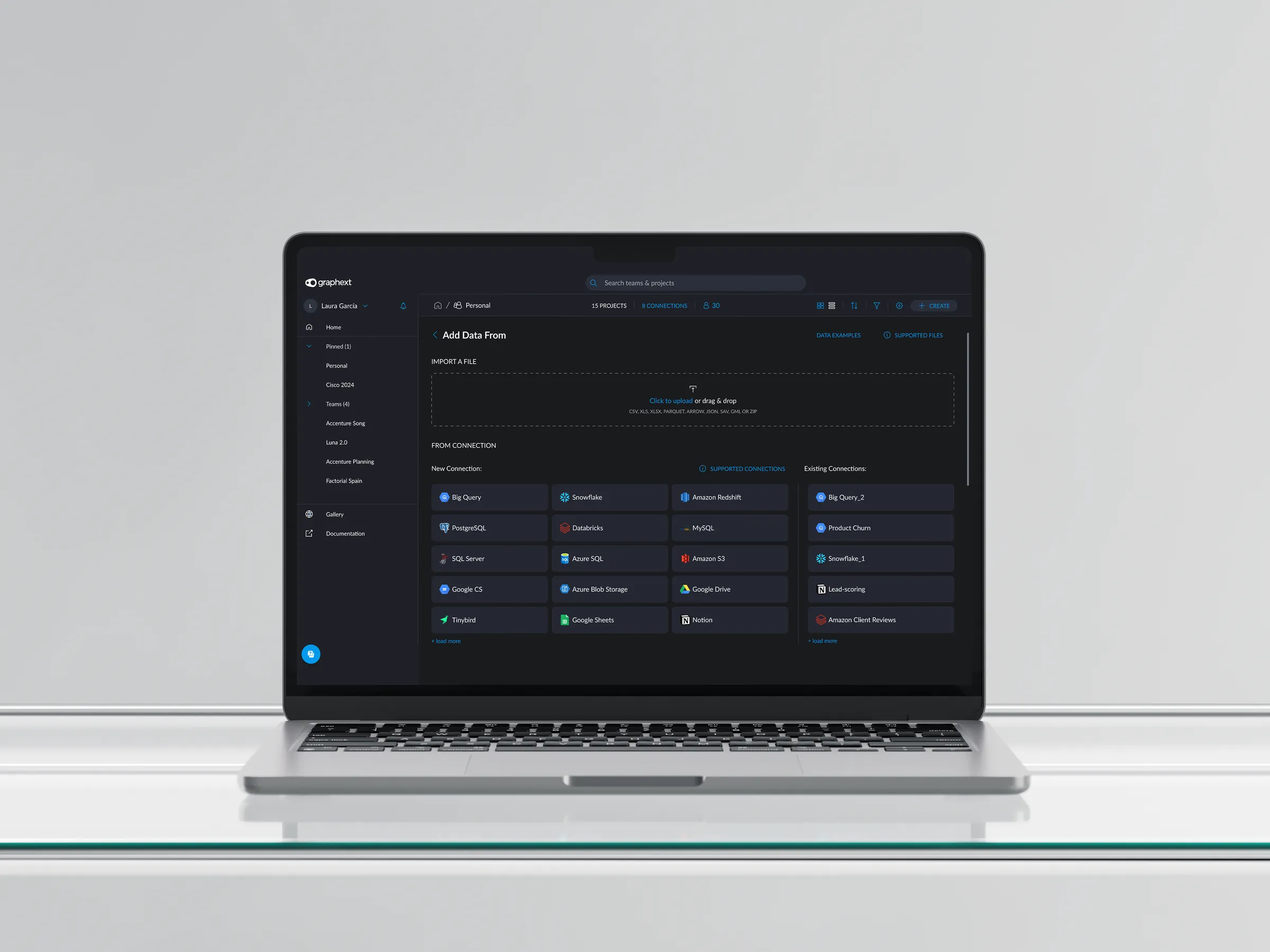
Pantalla del flujo de integración de datos de Graphext.

The Problem

Clients’ Voice of Customer data was scattered across multiple platforms and formats, making it difficult to unify and analyze feedback effectively. This fragmentation made it nearly impossible to:

  • Integrate structured and unstructured feedback (e.g., NPS scores, open-text responses, chat transcripts, social posts) from different sources into a single project.
  • Query and analyze data flexibly — for example, combining survey results with support ticket sentiment, or filtering feedback by product and region — without writing complex, technical queries.

My Role

I redesigned Graphext’s data connection and project creation flow to enable seamless integration of multiple, heterogeneous VoC datasets and to lower the technical barrier for querying and analysis, especially for business users.

How I solved it

  1. Discovery

    User interviews revealed that VoC teams needed to combine feedback from surveys, support logs, and reviews, but Graphext’s single-schema connection model forced them into time-consuming workarounds or limited their analysis to one source at a time.
  2. Ideation

    I restructured the workflow to allow users to connect to multiple data sources (e.g., Snowflake for survey data, Notion for support logs, APIs for social media) independently, then select and combine relevant datasets.

  3. AI-Assistant

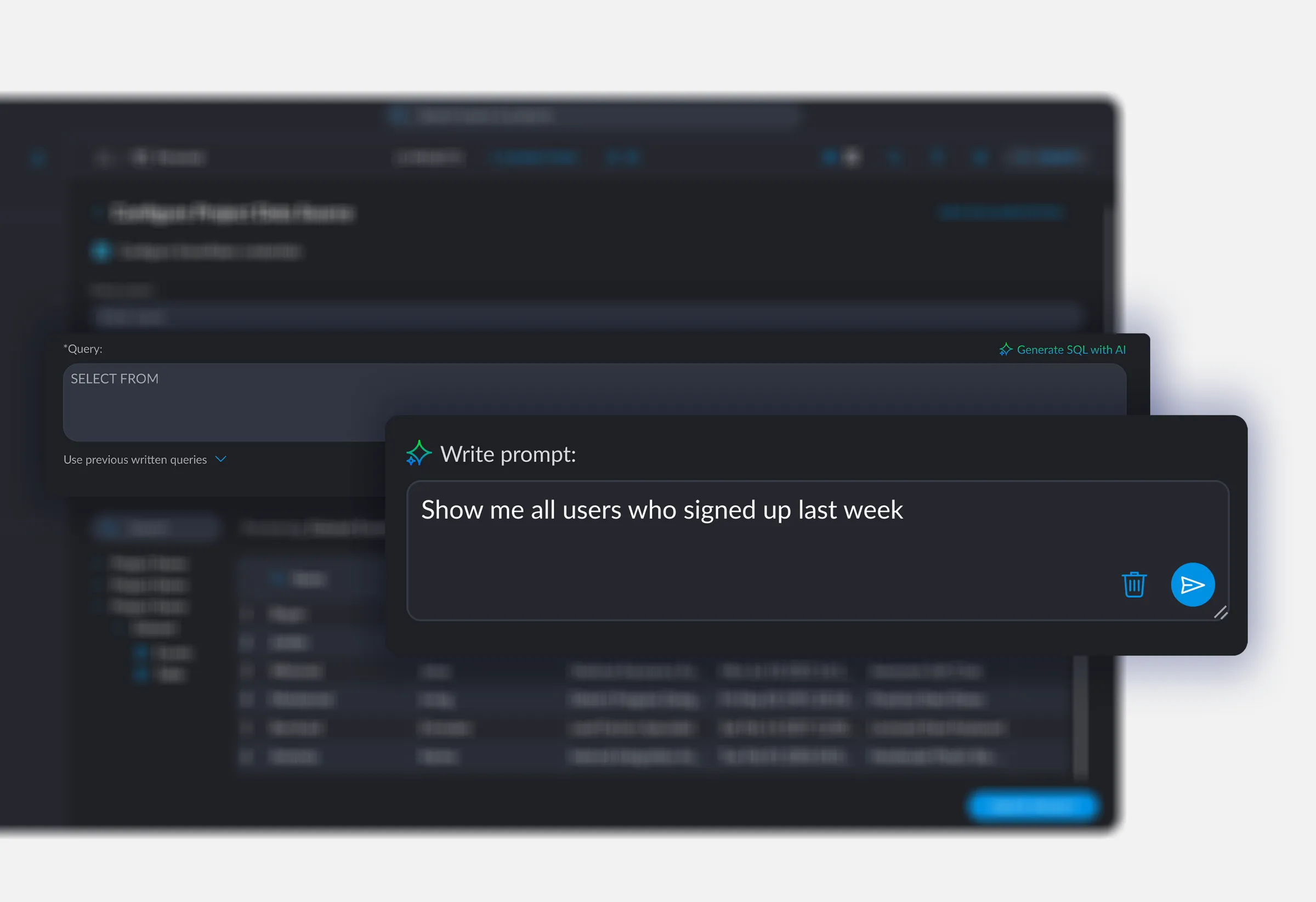
    To address the querying challenge, I designed an AI-powered assistant that let users request data in plain language — such as “Show all negative reviews about Product X from last quarter” — eliminating the need for SQL or technical know-how.

  4. Prototyping & Validation

    I built and tested prototypes with real VoC teams, who reported that the new flow made it dramatically easier to build comprehensive, cross-source analyses.

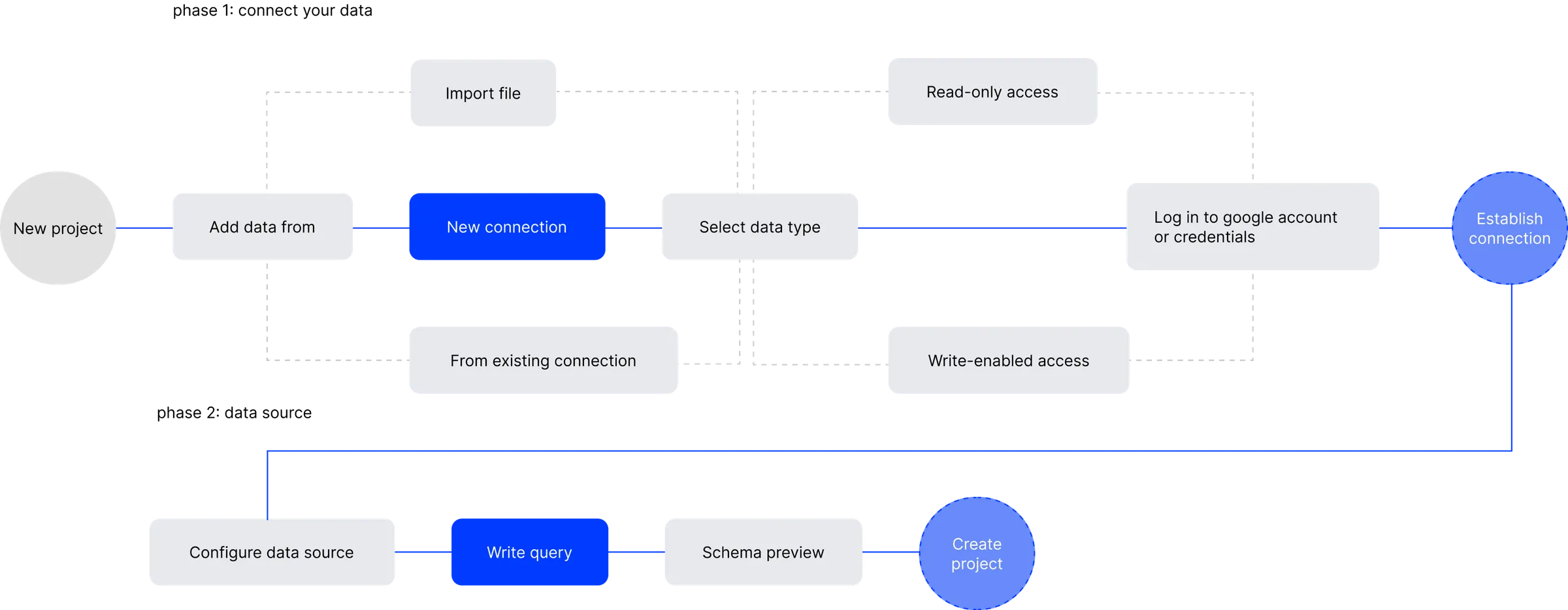
Desired Interaction

Diagrama de la interacción deseada al conectar varias fuentes de datos.

Why the separation of connection & data source?

To improve clarity and flexibility in the integration flow, I intentionally separated the “connection” and “data source” steps. This allowed to:

  • Create and manage multiple connections independently, without needing to define all details up front.
  • Reuse connections later across different projects, improving efficiency.
  • Save drafts and exit the flow at any point, which reduced friction for users who weren’t ready to complete the setup in one session.

Solution

  1. Connect to multiple, disparate data sources in a single project.
    1. Query data using natural language.
  2. Confirm schema.
  3. Create projects that deliver a unified, actionable view of customer feedback.

Connect your data

Snowflake

Sync and transform data from diverse sources for unified analytics.

Big Query

Integrate & replicate large-scale datasets for fast, cloud-based analysis

Azure SQL

Consolidate and automate data flows from multiple platforms into secure

MySQL

Connect, transform, and unify business data seamlessly with

Databricks

Centralize and prepare multi-source data

Google Sheets

Integrate and query large-scale datasets for real-time

*Select integration type.

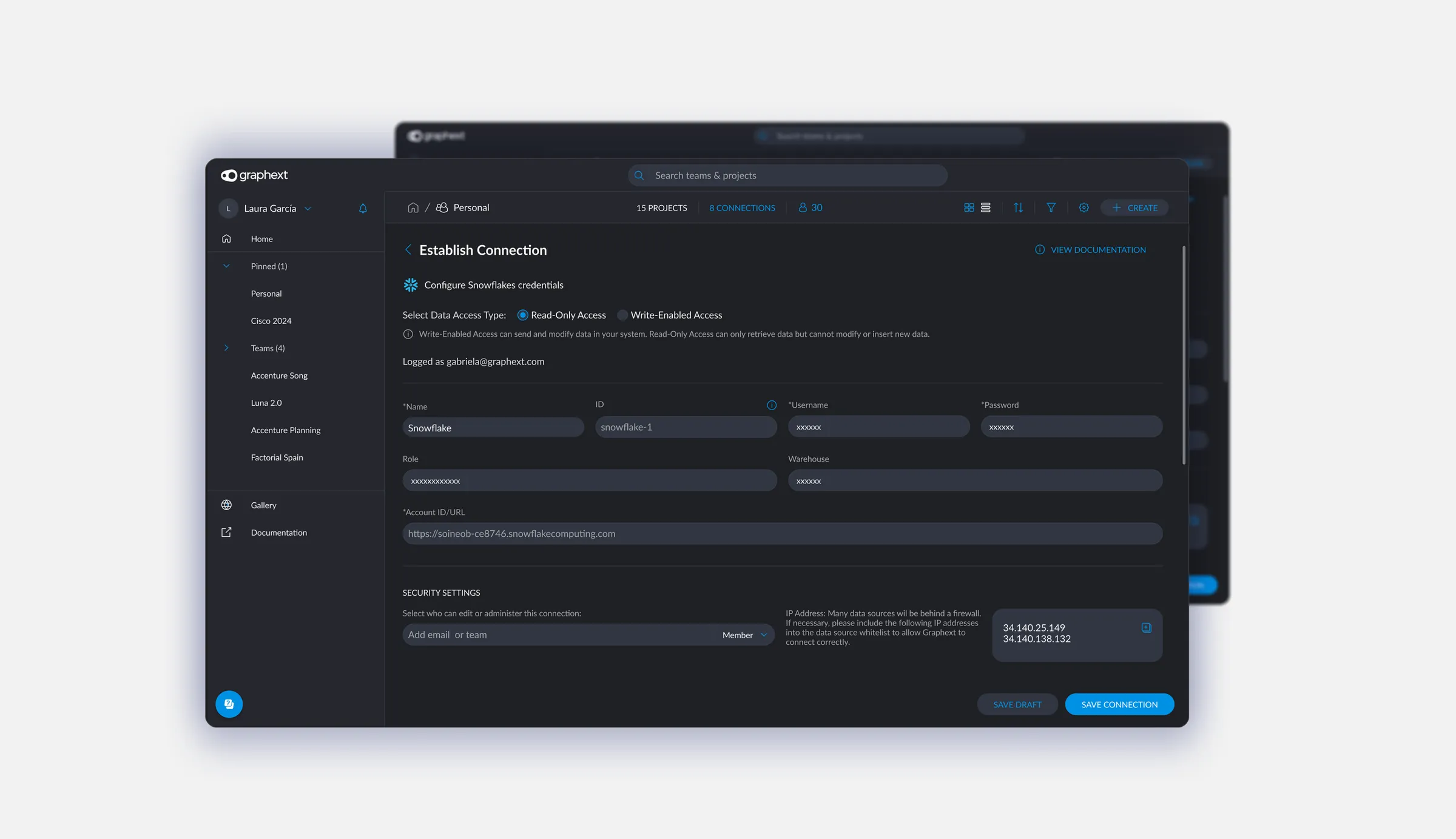
Formulario de creación de una conexión en Graphext.

*Fill form information and save the connection.

Generación de SQL con IA a partir de una petición en lenguaje natural.

*Select “Generate SQL with AI” and write request.

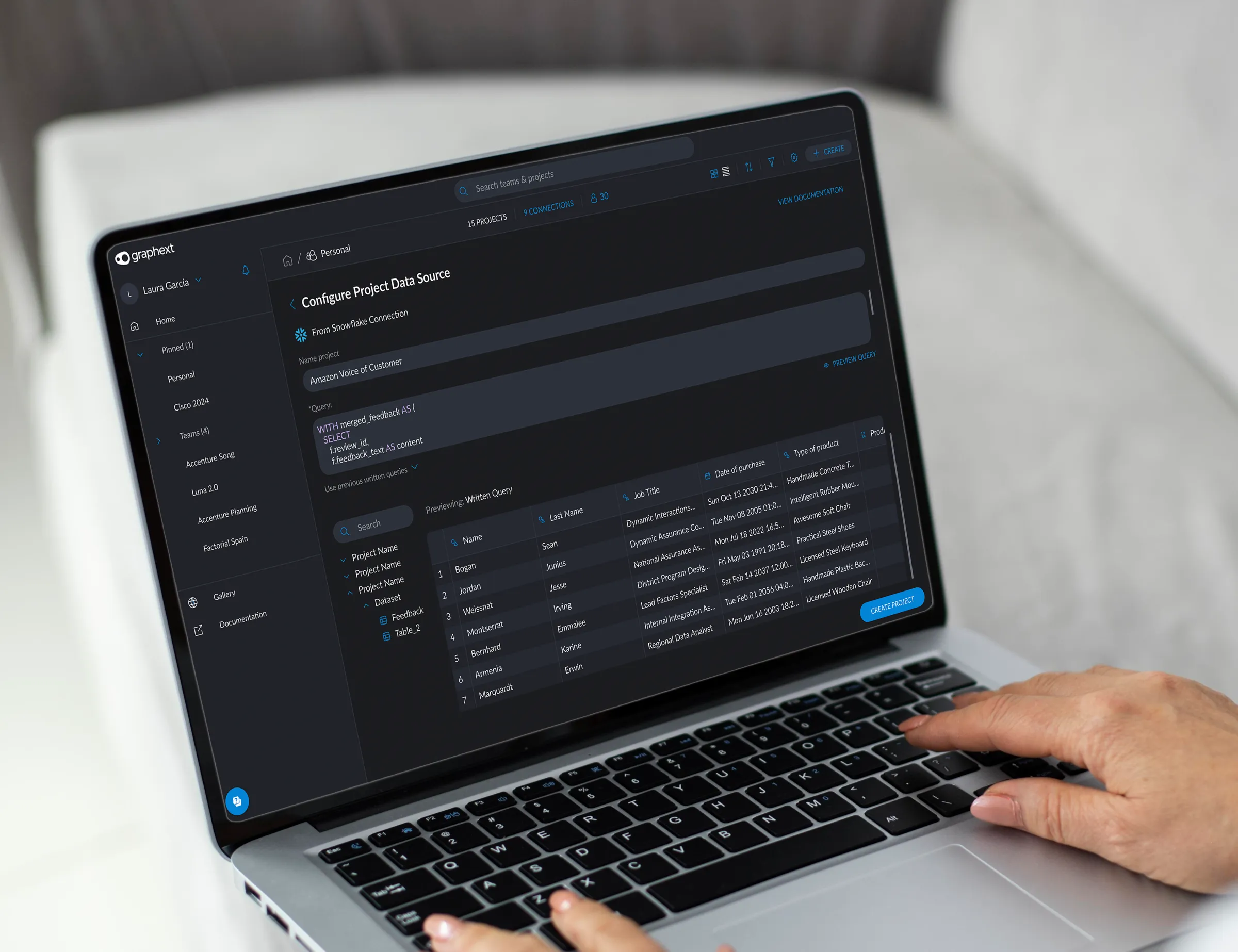
Confirm & preview schema

Vista previa del esquema de datos antes de confirmarlo.

Creation of project

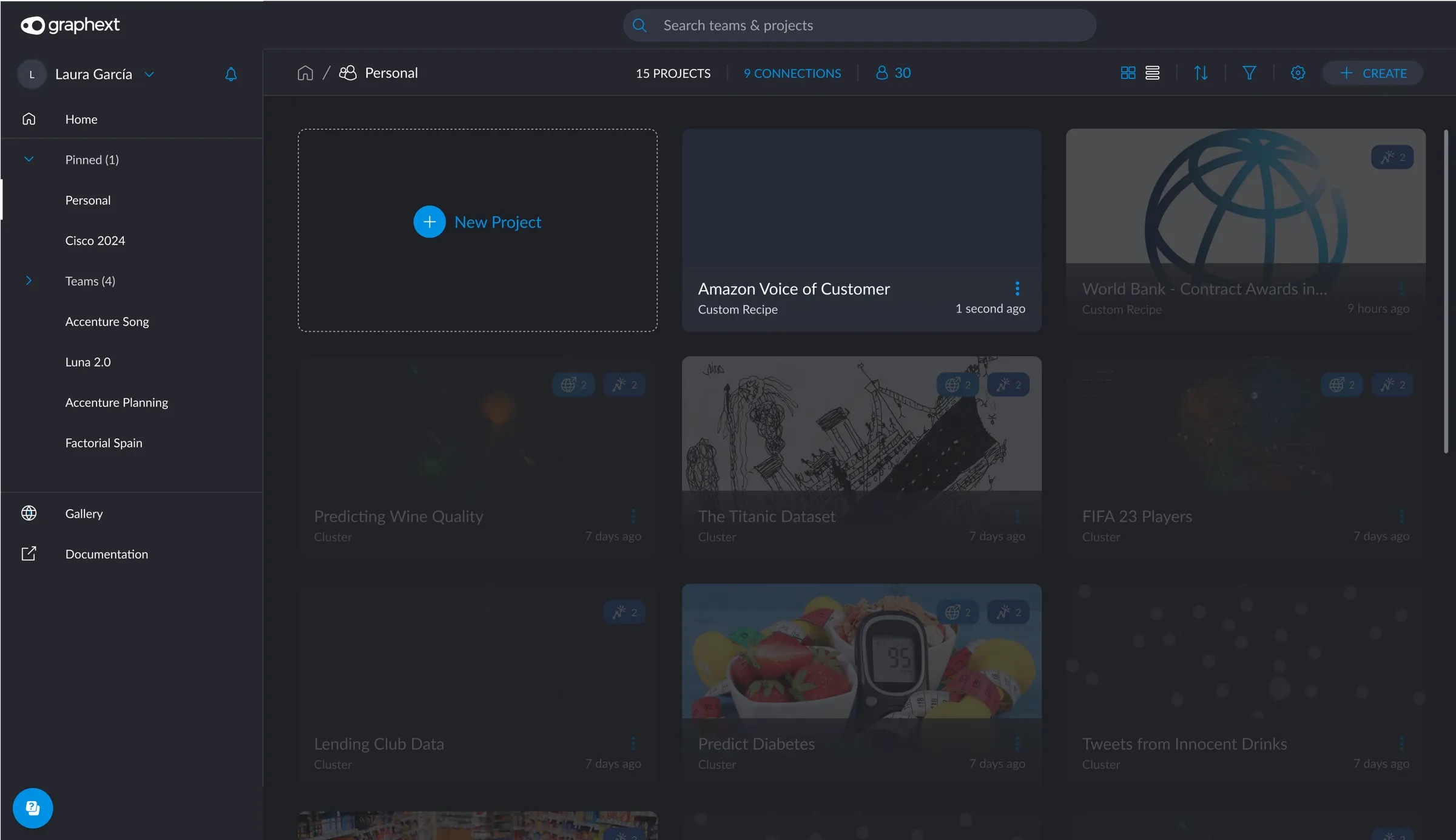
Proyecto ya creado dentro de la carpeta personal.

*Check your personal folder in order to access the created project. (You can later move it across teams).

Wire-framing & UI Elements

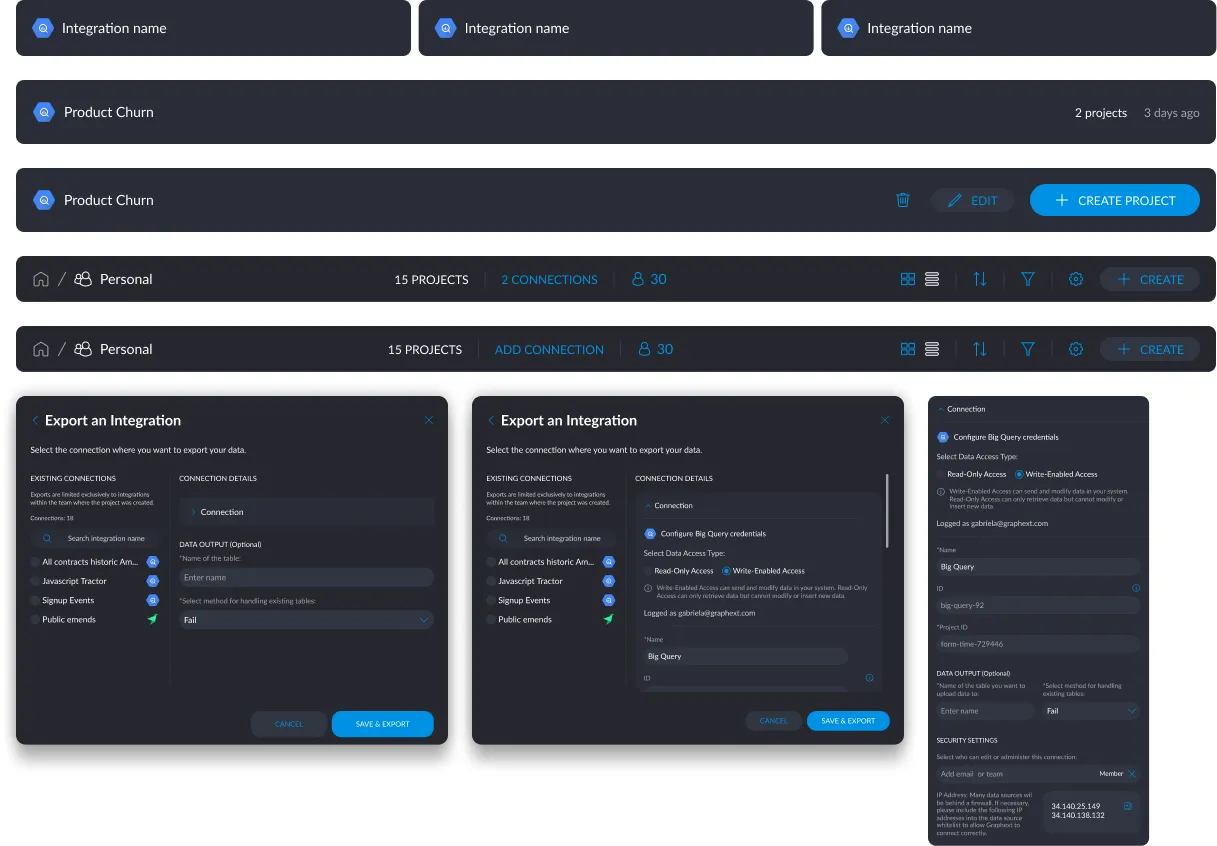
Some of the elements I designed specifically for the new integrations flow.

Muestra de los componentes de interfaz diseñados para el nuevo flujo de integraciones.

Impact

  • Users: While we didn’t track detailed analytics as a startup, the results were immediately visible internally: the integrations were easier to publish, and teams like Sales and Customer Support began using the platform without needing technical support. This helped the product scale without adding more engineering overhead.
  • Internal team: In addition, we overhauled the previous, rigid implementation for uploading datasets, streamlining and cleaning up the codebase. This made the system far easier for the development team to maintain and extend — something they were especially grateful for, given the limitations of the earlier quick-fix approach.